Social: your properties on social networks
4 min read
Open in Oria CRM →Before you start
Publishing uses your agency's TikTok, Instagram and Facebook accounts, connected by the Oria team when your workspace was set up. If the page says publishing is not connected or not configured, write to us; it is not something you switch on from the workspace.
The Social page
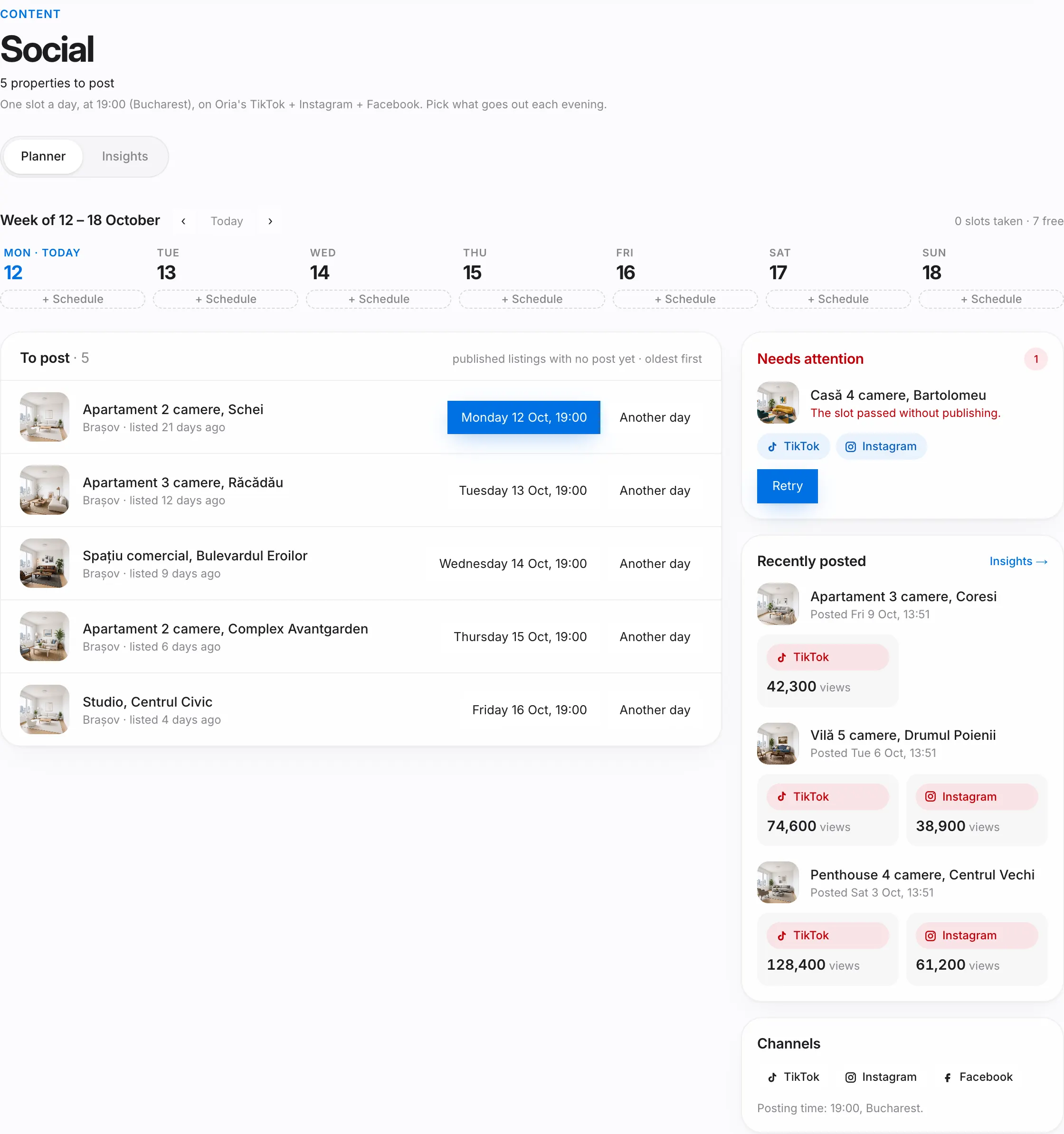
At the top you see how many posts are scheduled and how many properties are still to post. One post goes out a day, at 19:00 Bucharest time. Two tabs: Planner and Insights.
The planner
- The week, day by day. Each evening has one slot; a free evening has a + Schedule button. The arrows move to another week and Today brings you back.
- To post: published properties with no post yet, oldest first. Each one proposes the next free evening.
- Needs attention: posts that failed and posts whose slot passed without publishing. Press Retry; the form is prefilled.
- Recently posted: the latest posts, with their views.
Share a property
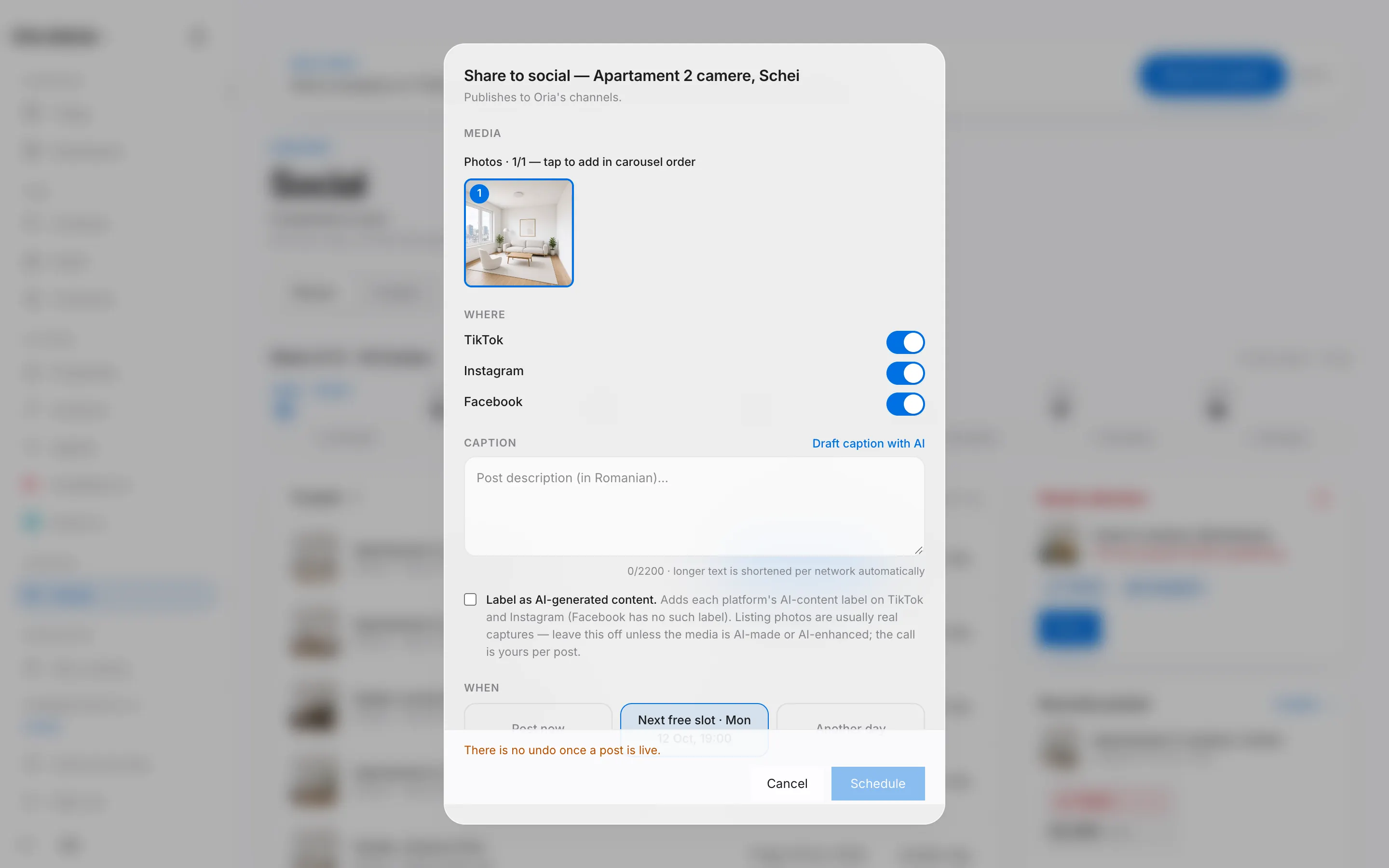
- Press + Schedule on a free evening and pick the property, or start straight from a row under To post.
- Pick the photos or the video that go out, and the networks.
- Write the Caption or press Draft caption with AI for a proposal you can edit; the proposal uses one credit.
- Choose Post now, the next free evening or Another day (always at 19:00), then confirm.
Tap a post in the planner to see what went out, the caption, the outcome per network and links to the posts. While it is scheduled, Edit post lets you change the caption, media, networks and day. Once it is live it can no longer be changed or withdrawn from here; changes happen in the network's own app.
Insights
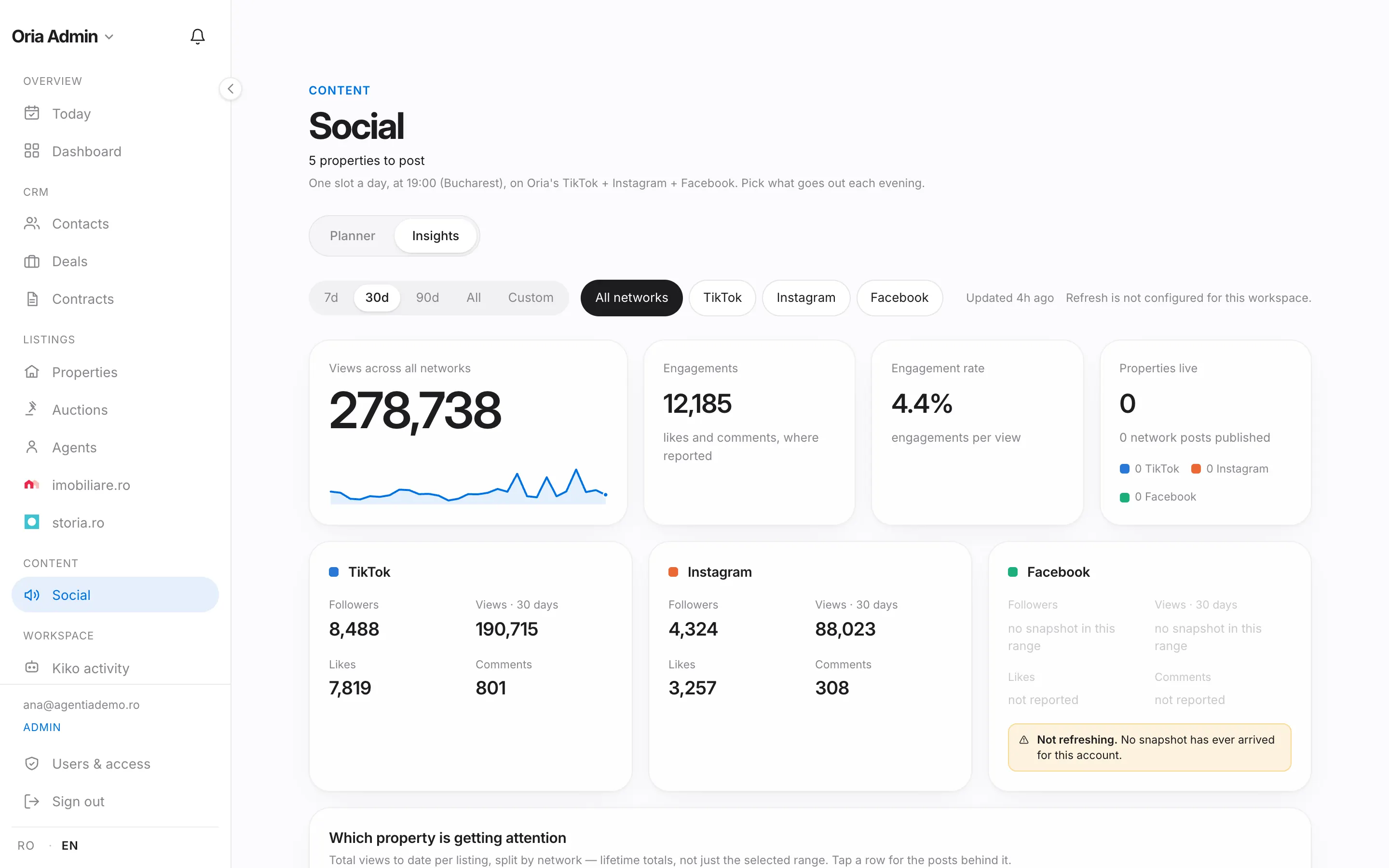
The Insights tab shows views, engagements, follower growth and the properties getting the most attention, per network and for the selected period. Numbers appear after the first daily sync.
Good to know
- Only properties with photos or a video can be shared.
- There is no undo after publishing; check the caption before confirming.