Open-house auctions
5 min read
Open in Oria CRM →What an open-house auction is
An open viewing where the people in the room bid on the spot, against a clock and a reserve price kept secret. The Auctions list shows each auction with its status (Draft, Live, Sold, Passed, Cancelled), the property, the pace and the current price.

Set up the auction
- Press New auction.
- Search for and pick the property, then the Pace: Fast or Extended (a fixed length that starts when you open).
- Set Starting price (€), Increment (€), Hidden reserve (€) (optional), the duration and, optionally, a Hard stop.
- Tick Accept registrations automatically so door registrations get a paddle straight away, or leave it off so each one waits for you in the console.
- Press Create draft. This creates a Draft; nothing is public yet.
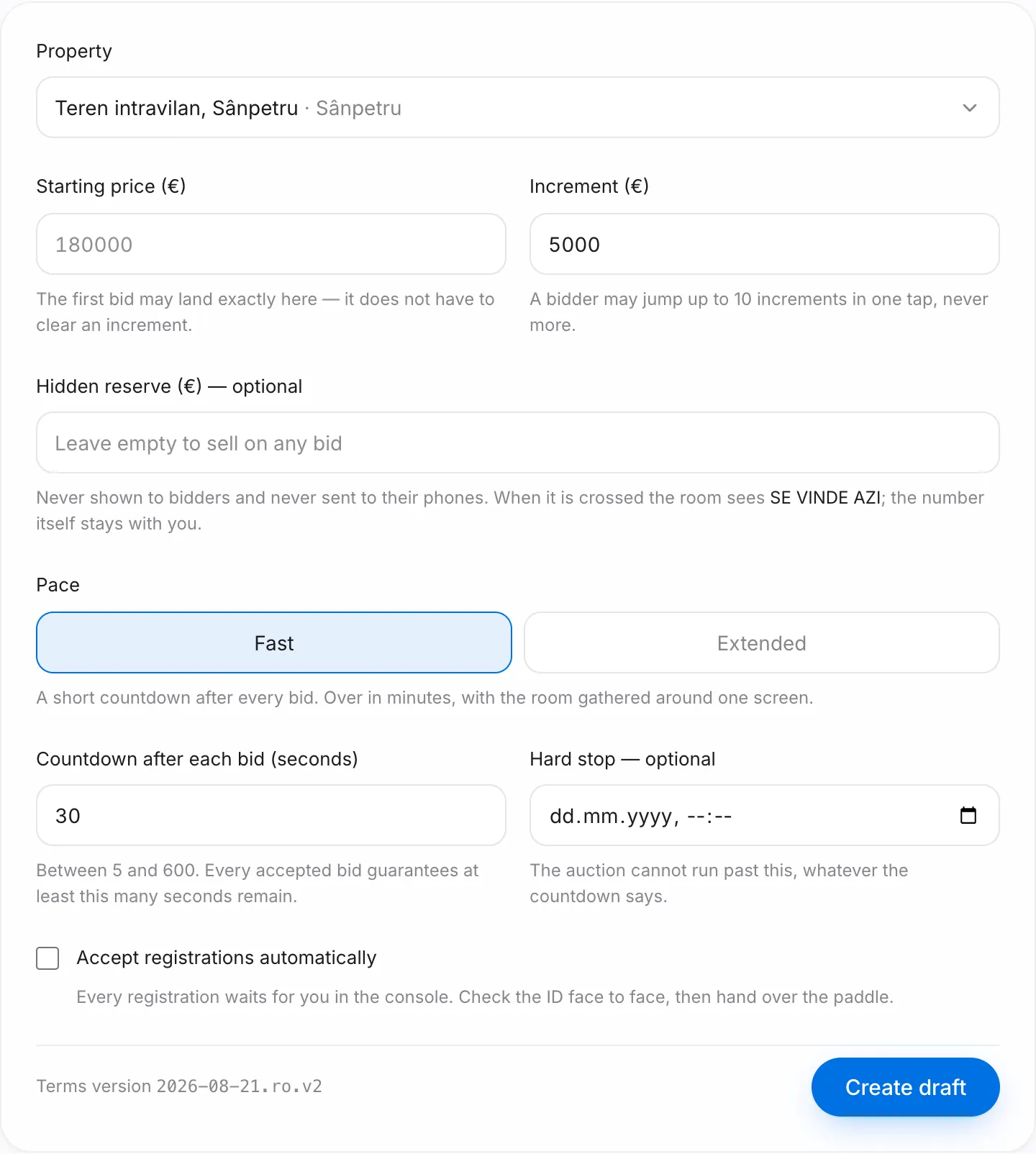
The setup sheet
The auction page shows The door with the QR code (Download the door poster and put it at the entrance), the room's terms including the reserve, and the Open the auction button. The reserve is visible on this page only; it never reaches participants.
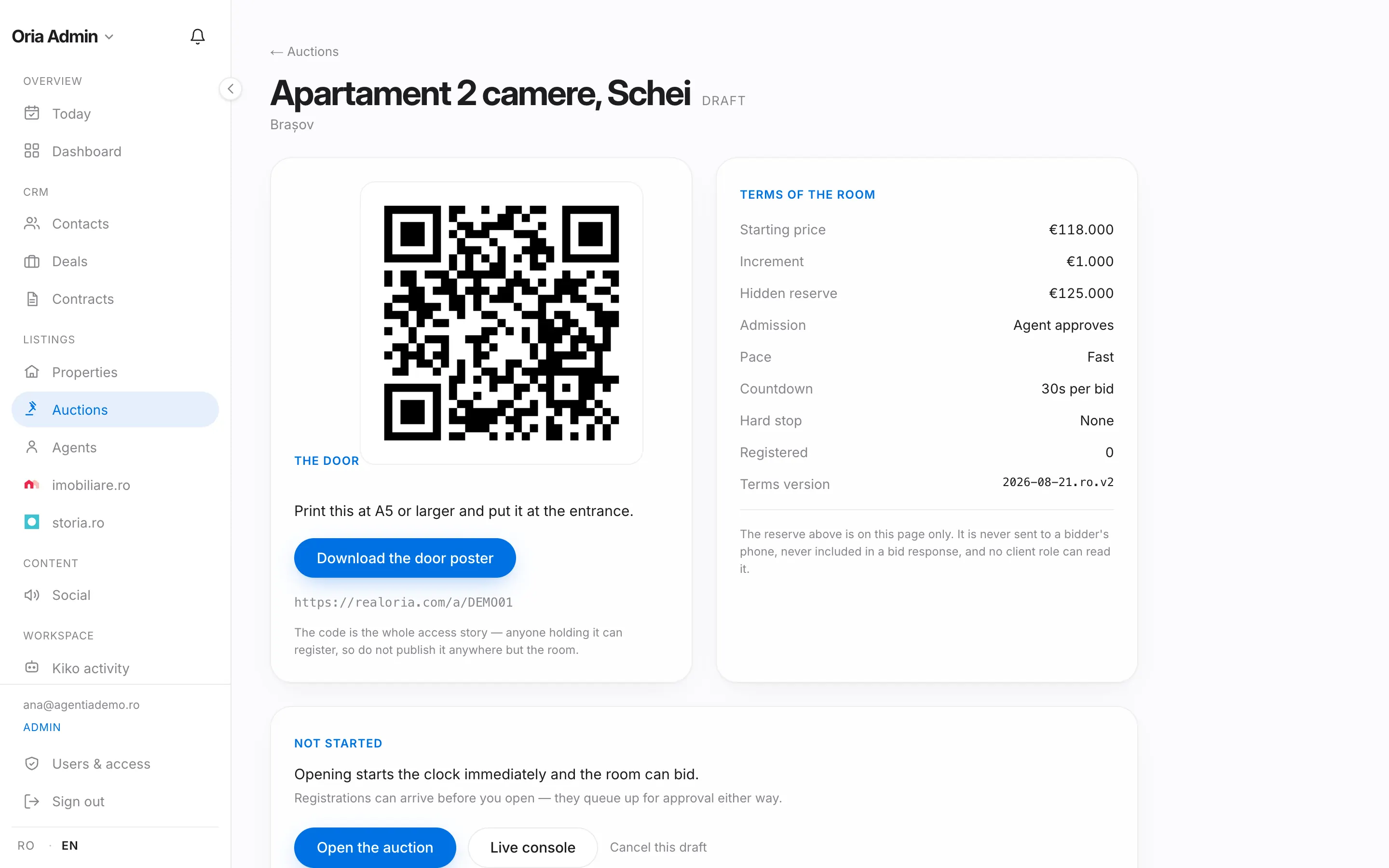
On auction day
- Visitors scan the QR code and register from their phone.
- You approve them in the console with Approve (unless you chose automatic approval) and each gets a paddle number.
- Press Open the auction: the clock starts immediately and the room can bid. Open the room board on a big screen: it shows the current price, the time left and bids in real time; when the price meets the reserve, the room sees the property sells today.
- When the clock runs out the auction ends on its own. You can also end it early with Hammer — end now; the second tap shows the price it closes at, and there is no undo. While it is live you can extend the clock, or use Retract last bid for a mistaken bid.
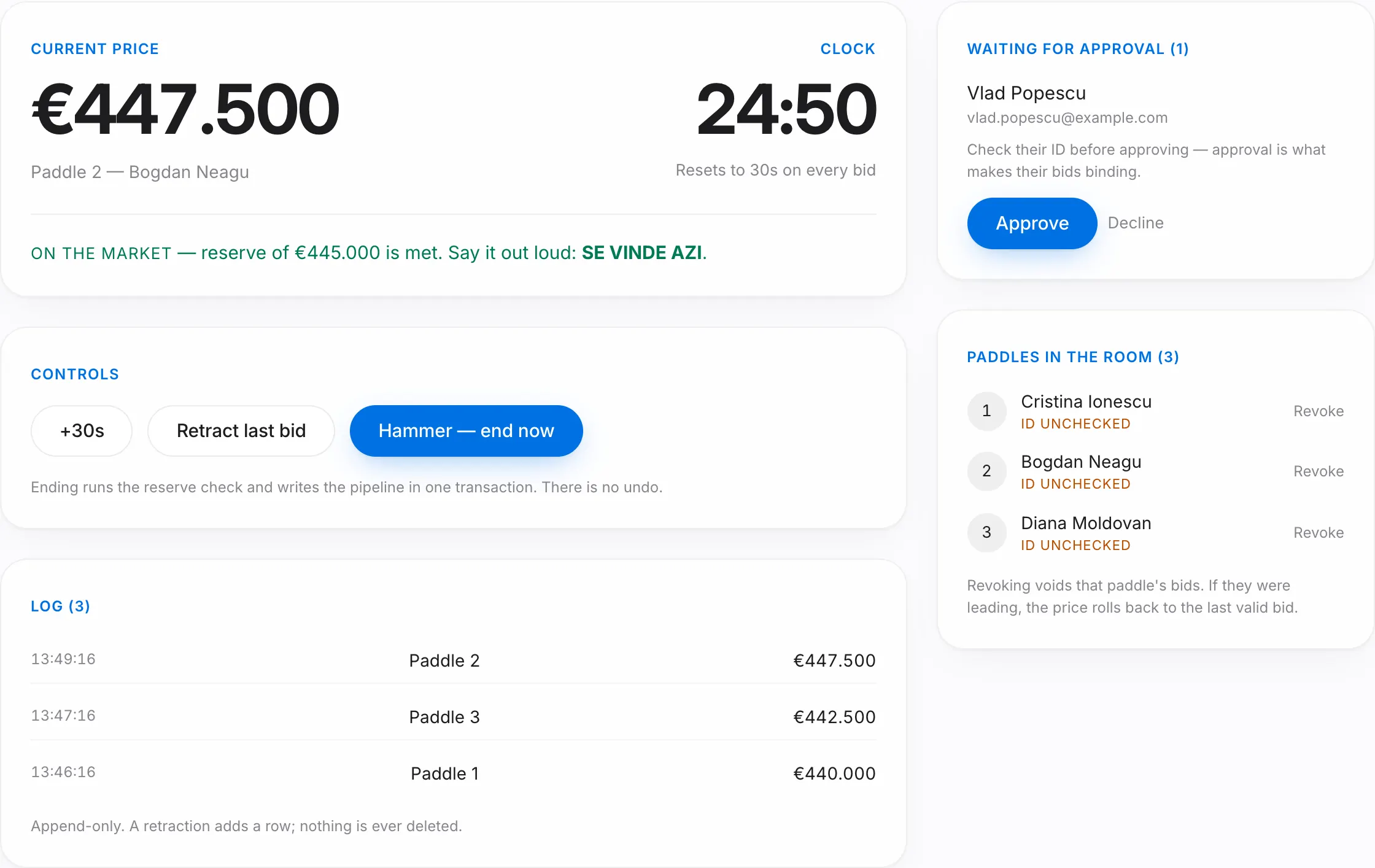
After the hammer
Ending runs the reserve check and writes the pipeline: every participant becomes a contact, and everyone who bid gets a deal at their price. You continue from Deals. If the reserve was never met, the auction closes as Passed and nothing is binding.
Good to know
- Bids are binding on participants; the terms are shown at registration.
- If an e-mail address already holds a paddle in the room, the console warns you before you approve: approving gives that person a second paddle and a second deal.