← All guides
The phone app and alerts
3 min read
Open in Oria CRM →Install and sign in
Oria CRM for iPhone is coming to the App Store soon; an Android app will follow. It uses the same account and the same data as the website.
- Open the app and sign in with the e-mail and password of the account made on the website. There is no sign-up in the app: the agency's owner creates the account on the website, and teammates get an invitation from Team.
- If you forgot your password, open realoria.com/forgot-password in your phone's browser, set a new password, then sign in on the app.
Today and the tab bar
The app opens on Today: your follow-ups (overdue, today and the next 7 days), the people who didn't answer your last call, today's viewings and the deals that have gone quiet. Mine and Everyone choose whose you see.
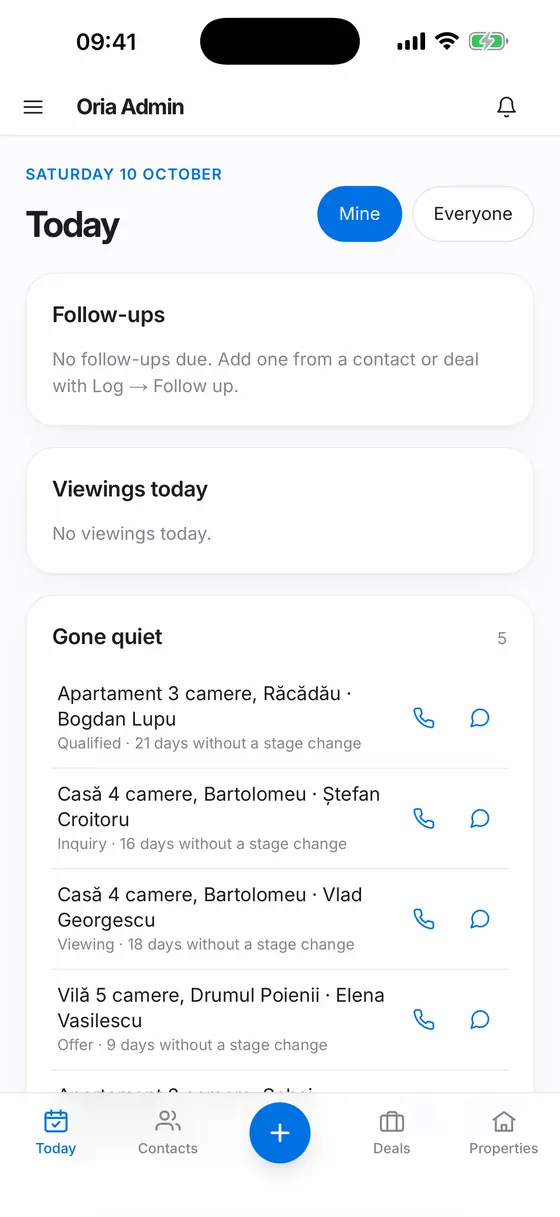
The tab bar holds Today, Contacts, the round blue Add button (+) in the middle, Deals and Properties. Add opens New contact, New deal and New property. Every other section is in the menu at the top left.
Swipes and pull to refresh
- On Today, swipe a follow-up to the right to mark it Done; if that was a mistake, press Undo in the message at the bottom.
- On Today and in Contacts, swipe a row to the left for Call and WhatsApp.
- In Notifications, swipe an unread notification to the right to mark it Read.
- On Today, Contacts, Deals, Properties and Notifications, pull the list down to refresh it.
Phone alerts
The first time you open Today, the iPhone asks whether Oria CRM may send notifications. Then you choose what reaches the phone:
- Open Notifications (the bell in the top bar).
- Below the list, under Phone alerts, tick what you want: new leads, deals and contacts assigned to you, follow-ups when they come due, listings that newly fit a contact's brief, and what Kiko does at a scheduled time.
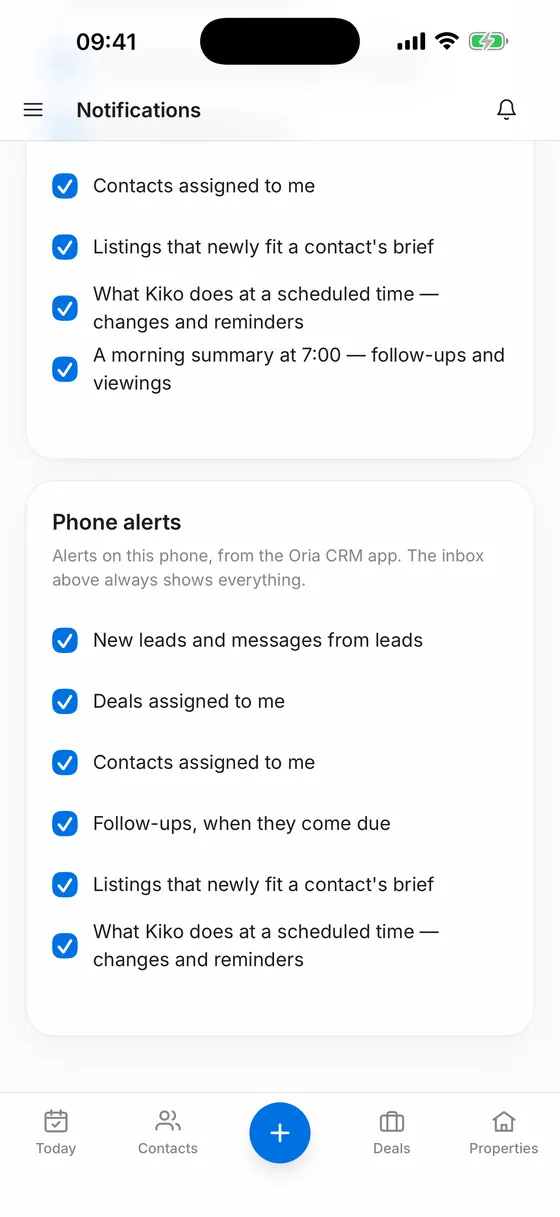
Good to know
- If you turned notifications down, the page tells you; switch them on in the phone's Settings.
- The Notifications list always shows everything, whatever alerts you pick for the phone.
- Billing is not managed from the app; open Billing on the website.