← All guides
Agents: the team behind the listings
3 min read
Open in Oria CRM →What agents are
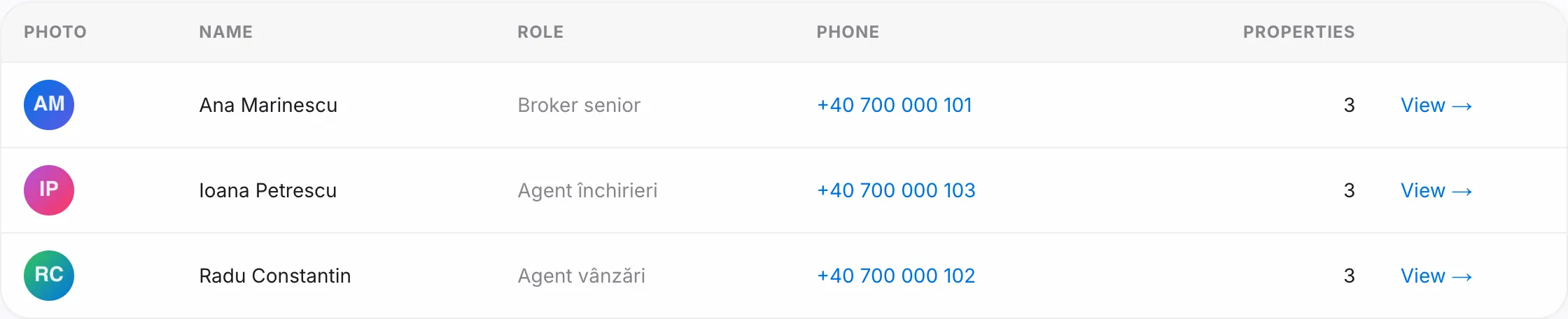
An agent is a colleague's profile: name, role, phone and photo. Every property has an Assigned agent; clients contact them, and the Dashboard attributes viewings and won deals to them.
Add an agent
- Open Agents and press New agent.
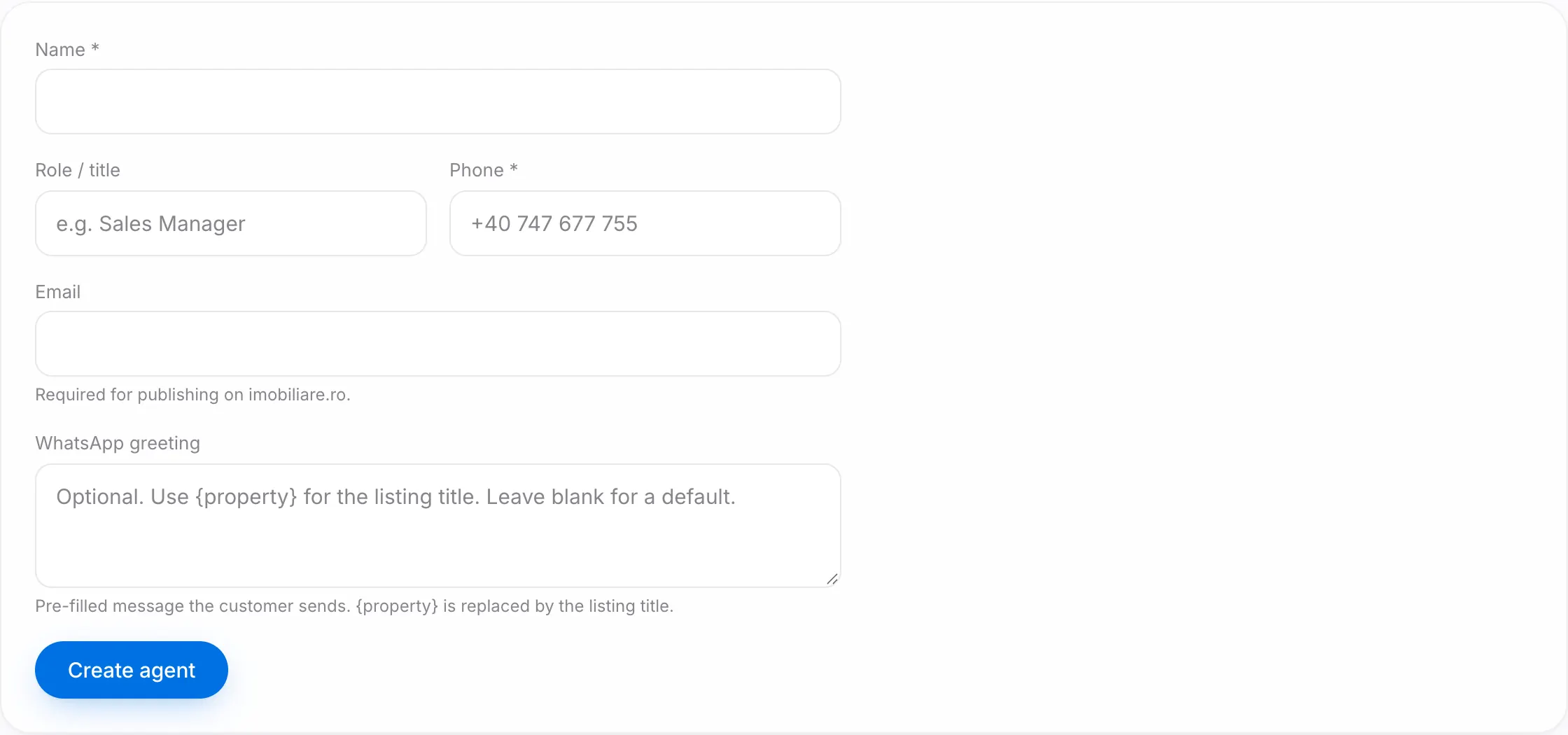
- Fill in Name, Role / title (for example "Sales Manager") and Phone; the phone is required. Email is needed if you publish on imobiliare.ro.
- Optionally write the pre-filled WhatsApp message a client sends; a placeholder in the text is replaced automatically with the listing title.
- Save. On the next screen, upload the photo (JPG, PNG or WebP, under 10 MB).
Assign properties
In each property's form, pick the agent under Agent (public contact). The Agents list shows how many properties each one has.
The agent page
Edit the details, replace or remove the photo and, in the Danger zone, press Delete agent. An agent with assigned properties cannot be deleted; reassign them first. If they own contacts or deals, you pick who takes them over. If they hold a share of a deal's commission, you must pick another agent, and only the owner or a manager can delete them.
Good to know
- Once you have at least two agents, the Dashboard shows a per-agent table: listings available, open deals, viewings and won deals in the selected period; the owner and managers also see commission.
- An agent is a profile, not a login. A colleague gets access to the workspace from Team, with Invite a teammate (the owner or a manager); there you can link their login to their agent profile, so Mine shows their own contacts and deals.