← All guides
Deals: from inquiry to won
4 min read
Open in Oria CRM →What a deal is
A deal links a property to a contact and follows the opportunity through four open stages: Inquiry, Qualified, Viewing, Offer. It closes as either Won or Lost.
The board
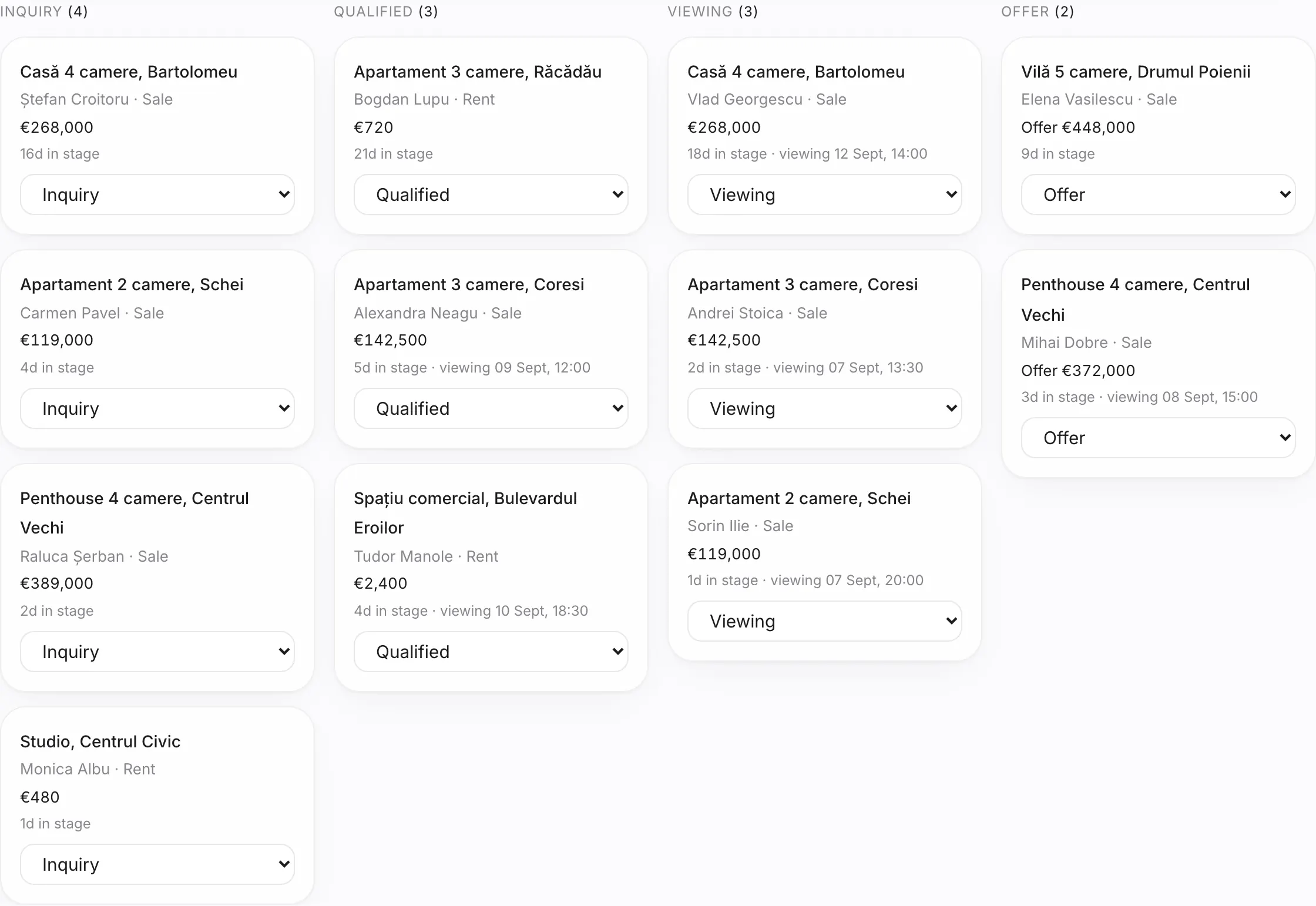
The Deals page shows open deals in columns, one per stage, with the latest won and lost deals below. Search by property or contact and filter by sale / rent or by source. Order cards by changes the order inside each column. As with contacts, the board opens on Mine if you have an agent profile, and Save view keeps your filters. Double-click a card to open the deal.
Create a deal
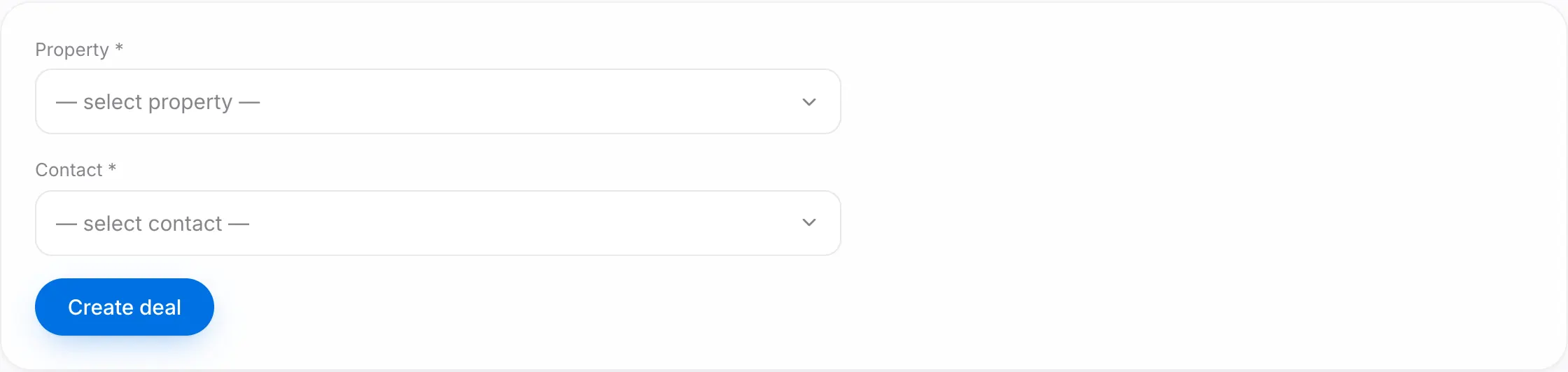
- Press New deal.
- Search for and pick the property.
- Pick an existing contact or + New contact… in the same form.
- Press Create deal. The deal starts in the Inquiry stage.
Move a deal
Change the stage right on the card or from the deal page. Three rules:
- Lost requires a reason. Reasons show up on the Dashboard, so you can see why deals are lost.
- Won automatically sets the property to Sold or Rented, depending on the deal's transaction type.
- Won also locks the commission; after that, only the owner or a manager can move the deal out of Won.
The deal page
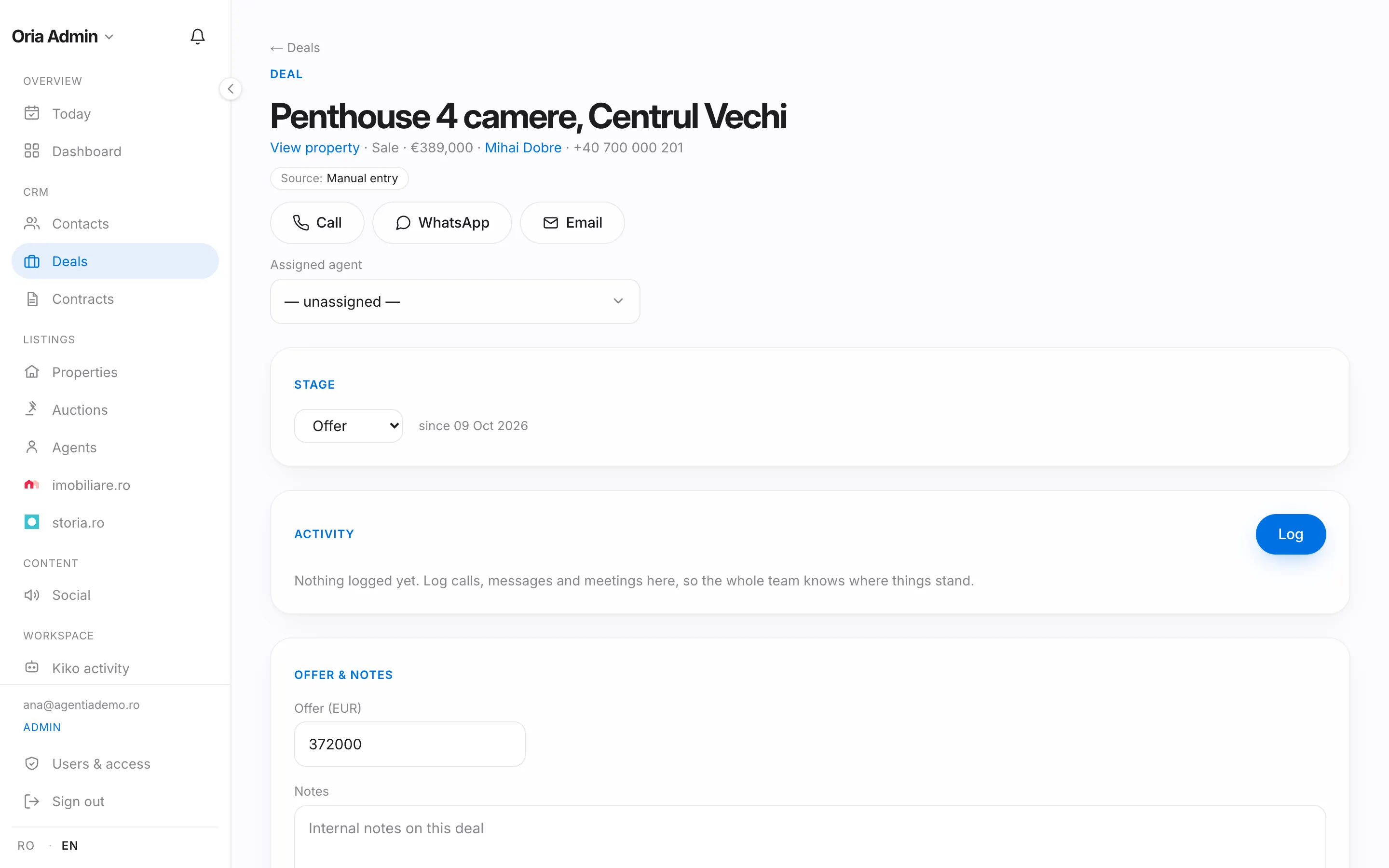
- At the top: the property, the contact with call and WhatsApp buttons, the source and Assigned agent.
- Activity: calls, messages and follow-ups, as on a contact.
- Offer & notes: the offer amount in euros and internal notes.
- Commission: the seller and buyer sides, as a percentage or a fixed amount, and the expected total.
- Viewings: Add viewing with a date, time and note. After the viewing, under How did it go?, pick Interested, Not interested or No-show and note their feedback. Each viewing has a Viewing sheet the visitors sign on your phone; the "Portals and viewing sheets" guide explains how it works. Viewings in the next 7 days appear on the Dashboard, and today's on Today.
- Danger zone: Delete deal, together with its viewings. A won deal, or one with a signed viewing sheet, cannot be deleted.
Good to know
- Deals that have gone quiet for a long time appear on the Dashboard under Needs attention.
- The owner and managers get Export CSV and Export Excel on the board; an export downloads the deals as filtered.
- Kiko can move stages, schedule viewings or record an offer; in the default mode it asks for your approval first.