Oria CRM · Use case
From Excel and WhatsApp to a CRM that takes your spreadsheet as it is.
If your agency runs on spreadsheets and WhatsApp groups, the easiest start is a CRM that takes the spreadsheet as it is. Oria CRM imports contacts and listings from a CSV file exported from Excel, shows you what will be created before it writes anything, and keeps WhatsApp one tap away on every contact.
€29 / seat / month. No commitment, cancel any time.
How it works
Four steps from the spreadsheet to a working pipeline.
01
Export the spreadsheet as CSV
Save the Excel sheet as CSV, or export a file from CRM REBS or another CRM. UTF-8 files and older Windows files are both read; for the older ones the import asks you to check ș and ț in the preview.
02
Match the columns
The import guesses which column is the name, the phone, the e-mail or the price, and you correct what it got wrong. Columns you do not match are added to the record's notes, so nothing in the file is lost.
03
Check before anything is written
The preview counts what is ready, what is already in Oria, what repeats inside the file and what has a problem. The rows that will not be imported download as a CSV, each with its reason.
04
Import, then work from Today
Contacts arrive with their notes. Listings arrive unpublished, each linked to its owner. From then on every agent has a Today screen with the follow-ups, the day's viewings and the deals that have gone quiet.
In the product today
What replaces the spreadsheet and the group chat.
Each item below is a screen in the product, one you can open after you sign in.
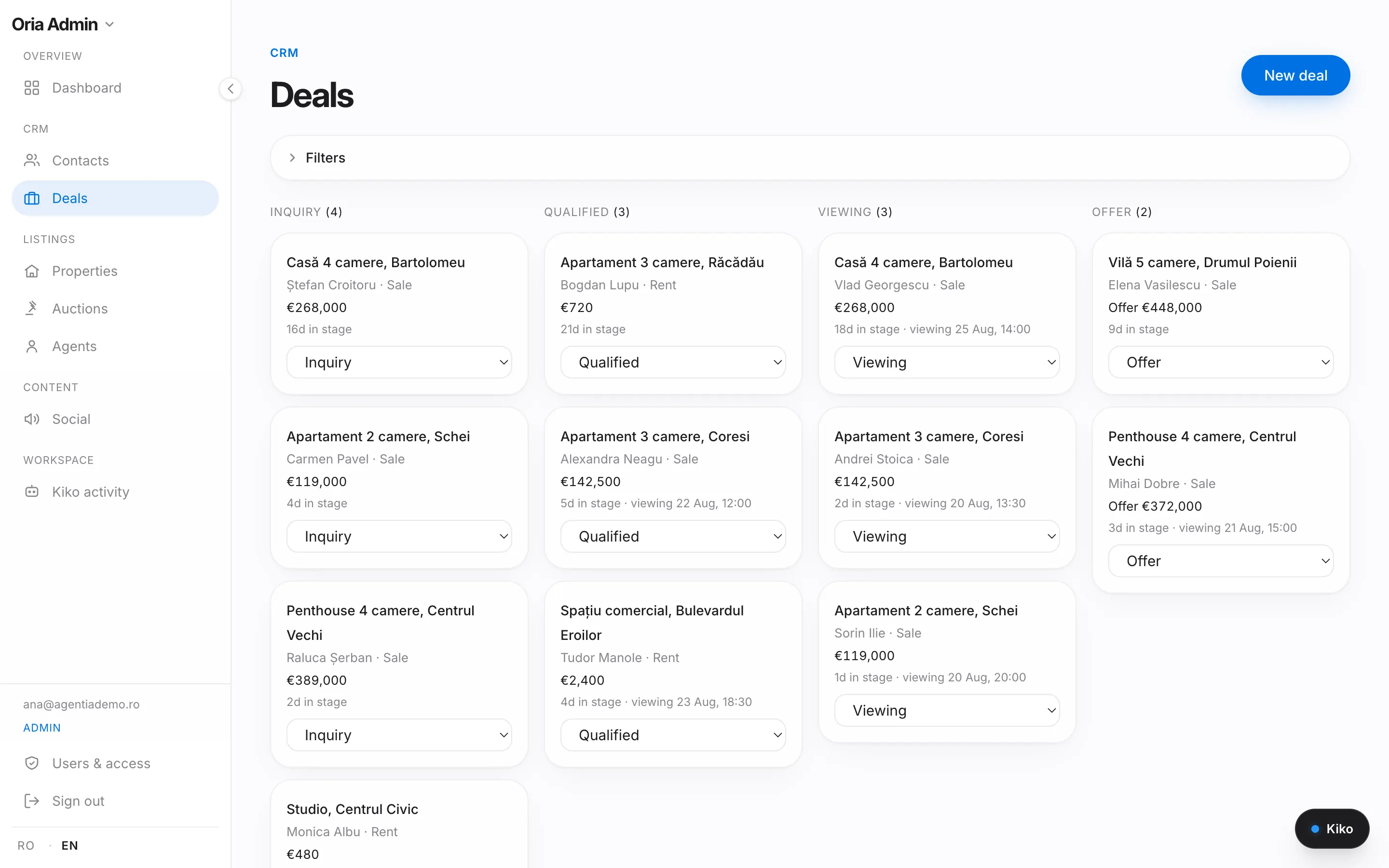
Two CSV imports
One for contacts, one for listings. A listing is linked to its owner's contact, and the owner is created if missing. Running the same file again imports nothing twice.
A pipeline with rules
Six stages, from enquiry to signature. A won deal marks the listing sold or rented; a lost one needs a reason, and the reasons add up in your statistics.
WhatsApp, one tap away
Every contact and every row on the Today screen has a call button and a WhatsApp button. When you come back from the call or the chat, the CRM offers to log it, so the history stays on the contact and not only in your phone.
Follow-ups that come to you
A follow-up has a due date. Overdue ones and today's sit at the top of Today, and an e-mail at 07:00 lists the day's follow-ups and viewings, if you keep it switched on.
Portal leads land by themselves
A lead from imobiliare.ro or a message from Storia becomes a contact and a deal, and the agent on the listing gets a notification.
Your data leaves as easily as it came
The agency owner and the managers can export contacts, deals and listings to CSV at any time.
The limits, plainly
What it does not do.
It does not read your WhatsApp chats or groups. WhatsApp stays the way you talk to clients; the CRM is where the record lives.
It imports CSV files, not .xlsx: save the sheet as CSV first.
Photos are not part of the import. You add them on each listing.
Imported listings arrive unpublished and send no alerts to buyers. You review and publish them.
Only the agency owner and the managers can import and export.
There is no free trial. There is a demo, and you can cancel any time.
Questions
Questions agencies ask before moving.
One that takes your spreadsheet as it is. Oria CRM imports contacts and listings from a CSV file, shows a preview with the duplicates and the problems before it writes anything, and keeps the columns it does not recognise in the notes. The account takes two minutes to create, and the Oria team does the first import together with you.
No. You keep talking to clients on WhatsApp, and every contact has a WhatsApp button. What changes is where the record lives: the call, the message and the next follow-up are logged on the contact, so a colleague can pick up where you left off.
They are added to the record's notes, unless you switch that off. For listings they go to the internal notes, never to the public description.
Yes, if it exports a CSV file. There is no direct connection to an account in another CRM: you export there and import here.
€29 per seat per month, or €261 per seat per year, VAT included, with 100 AI credits for every seat each month. No setup fees; the import is part of the product.
Comparing CRMs? Read the guide to real estate CRMs in Romania · Everything in Oria CRM · Pricing
Use cases
One page for each job.
What Oria CRM does for one specific job, step by step, and what it does not do.
Available now
Less admin. More sales.
€29 / seat / month. No commitment, cancel any time.
No setup fees. Cancel any time.